Have you ever plugged in your trusty tablet, only to watch the battery percentage crawl upwards like a snail? It's a truly frustrating experience, especially when you're in a hurry. You just want your device ready to go, right?
You're not alone in this slow-charging struggle. Many factors can turn your tablet's quick power-up into a long, drawn-out affair. Let's unravel the mystery together, with a dash of lightheartedness.
It Might Be Your Charger
One of the most common culprits behind glacial charging speeds is often the charger itself. Not all chargers are created equal, even if they all fit into the wall. Think of it like filling a bathtub; you need a good flow of water.
The Charger Isn't Powerful Enough
Every tablet has a recommended power input for optimal charging. If your charger provides less power than your tablet expects, it's like trying to fill that bathtub with a teacup. Your device will charge, but oh so slowly.
Look for the numbers on your charger – usually in watts (W) or amperes (A). A higher number generally means more power. For tablets, you typically want a charger with at least 10W, and often more for faster charging.
"Using a smartphone charger for a tablet is a common mistake. Tablets usually need more juice!"
Old or Damaged Charger
Chargers can wear out over time, just like anything else. The internal components might degrade, reducing their efficiency. A charger that's been through a lot might not be delivering its full power anymore.
Sometimes, the damage isn't obvious from the outside. If your charger feels warm in an unusual way or makes strange noises, it might be on its way out. A new, quality charger could make a world of difference.
Using a Generic or Cheap Charger
While generic chargers can save you a few bucks, they often lack the quality control of branded accessories. They might not deliver a stable current or the advertised power. This inconsistency can lead to frustratingly slow charging.
Always try to use the charger that came with your tablet. If you need a replacement, invest in a reputable brand or one recommended by your tablet's manufacturer. It's a small investment for peace of mind and speedy charging.
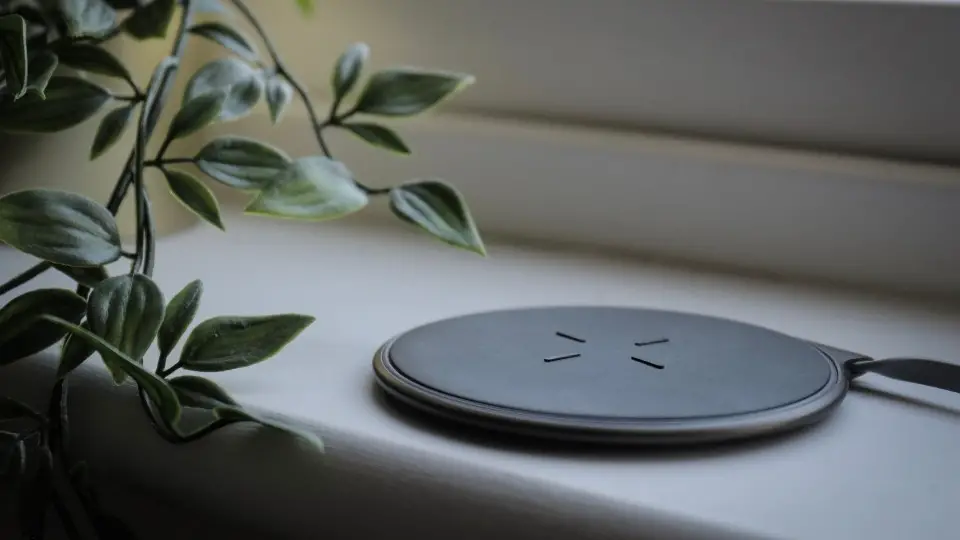
Don't Forget About the Cable!
The charging cable often gets overlooked, but it plays a crucial role. A poor-quality or damaged cable can seriously bottleneck your charging speed. It's the pipeline for the power flow.
Damaged or Frayed Cable
Frayed wires, kinks, or bent connectors can hinder the flow of electricity. Even if it looks okay on the outside, internal damage is possible. If your cable has seen better days, it's a good candidate for the trash.
A broken cable isn't just slow; it can sometimes be a safety hazard. Always inspect your cables for any signs of wear and tear. A healthy cable ensures a healthy charge.
Low-Quality or Thin Cable
Not all USB cables are created equal in terms of power delivery. Some cheap cables have very thin internal wires. These thin wires create more resistance, making it harder for power to reach your tablet quickly.
Imagine trying to drink a thick milkshake through a tiny straw versus a wide one. A good quality, slightly thicker cable can handle more power. It's especially true for tablets, which demand more current.
"Always check the cable too! It's often the unsung hero (or villain) of slow charging."
The Tablet's Port Might Be the Problem
Sometimes, the issue isn't with the accessories but with the tablet itself. The charging port is a delicate part that sees a lot of action. It can get fussy over time.
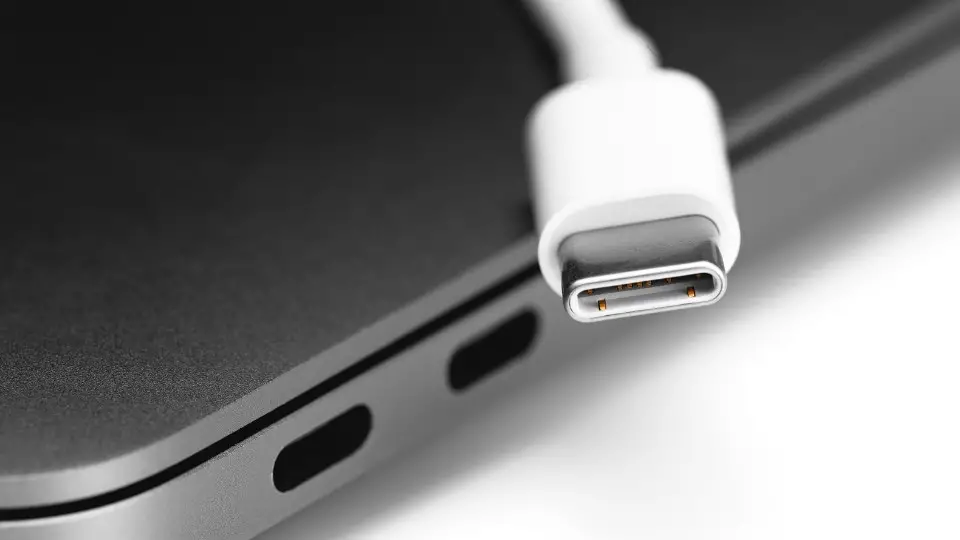
Dirty Charging Port
Pocket lint, dust, and other debris love to accumulate inside your tablet's charging port. This gunk can prevent the cable from making a proper, snug connection. It's like trying to plug something into a dusty socket.
Carefully clean the port using a non-metallic tool like a wooden toothpick or a blast of compressed air. Be very gentle to avoid damaging the delicate pins inside. You might be surprised what comes out!
Damaged Charging Port
If you often yank out your cable or plug it in roughly, the charging port can become damaged. Bent or broken internal pins are a common issue. This can lead to intermittent charging or no charging at all.
If you suspect port damage, it's best to take your tablet to a professional for repair. Trying to fix it yourself could cause further harm. It's a job for tiny tools and steady hands.
Your Tablet's Battery and Software
Even if your charger and cable are perfect, the tablet's internal workings can impact charging speed. The battery itself or what your tablet is doing can play a big role. It's a complex little machine.
Old or Degraded Battery
Like all batteries, your tablet's battery has a finite lifespan. Over time, it loses its ability to hold a charge efficiently and can take longer to fill up. An aging battery is simply less capable.
If your tablet is several years old and the battery drains quickly even after a full charge, it might be time for a replacement. Consult a service center to check your battery's health. It could breathe new life into your device.

Running Demanding Apps While Charging
If you're playing a graphics-intensive game, streaming high-definition video, or doing multiple tasks while charging, your tablet is using power as fast as it's receiving it. It's like trying to fill a bucket with a hole in it.
For the fastest charge, it's best to put your tablet to sleep or even turn it off completely. If you must use it, close unnecessary apps and keep usage minimal. Give it a chance to focus on charging.
Temperature Troubles
Batteries are sensitive to extreme temperatures. If your tablet gets too hot while charging (perhaps under a blanket or in direct sunlight), it might deliberately slow down charging to prevent damage. This is a safety feature.
Conversely, extremely cold temperatures can also impact charging efficiency. Always charge your tablet in a cool, well-ventilated area. Give your tablet some breathing room to charge optimally.
The Power Source Matters Too
Where you plug in your tablet can also affect charging speed. Not all power outlets or USB ports deliver the same amount of juice. It's all about the supply line.
Charging from a Computer USB Port
Most computer USB ports provide very little power, typically around 2.5W to 4.5W. This is usually enough for a smartphone but far too little for a tablet. Expect painfully slow charging, or even no net gain if you're using it.
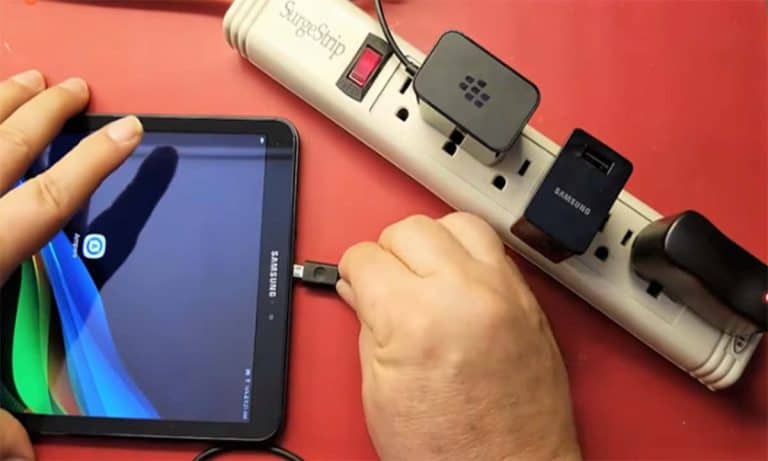
Always use a wall adapter for your tablet whenever possible. A wall outlet provides much more stable and powerful electricity. Your tablet will thank you with a quicker charge.
Faulty Wall Outlet or Power Strip
Rarely, the wall outlet itself might be the issue. Try plugging your charger into a different outlet to see if it makes a difference. Old or faulty power strips can also sometimes limit power delivery.
Ensure your power strip isn't overloaded with too many devices. Sometimes, simply trying another power source reveals the problem. It's a quick and easy test to rule out the power supply.
Sometimes, It's Just a Software Glitch
Like any smart device, tablets can occasionally experience software bugs. A minor glitch in the operating system could confuse the charging process. Technology can be quirky sometimes.
A simple restart of your tablet can often resolve these temporary software hiccups. It's like giving your tablet a fresh start and clearing out any digital cobwebs. This often works wonders for various issues.
Wrapping It Up: Speedy Charging Awaits!
Slow tablet charging can be a real headache, but as you can see, there are many common reasons behind it. The good news is that most of these issues are easy to identify and fix. You don't need to be a tech wizard.
Start by checking your charger and cable – these are often the biggest culprits. Then, take a look at your tablet's port and usage habits. With a little detective work, you'll have your tablet powered up faster than ever. Happy charging!