
Alright, gather 'round, my fellow digital nomads and phone-addicted pals. Picture this: you reach for your trusty iPhone 13, that sleek, glorious rectangular extension of your very soul, and… nothing. Zip. Zero. Nada. It’s as dead as my attempts to stick to a diet. No turn on, no charge, just a cold, unresponsive slab of expensive glass and metal. Panic, my friends, sets in faster than you can say "Where's my charger?!"
I mean, let's be real. Our phones aren't just phones anymore, are they? They're our navigators, our photographers, our therapists (via endless cat videos), and occasionally, a device we use to make calls. So, when your iPhone 13 decides to ghost you, it feels like a personal betrayal. But don't you worry, because before you start sending out search parties or performing ancient tech rituals, let's walk through some truly epic (and occasionally ridiculous) troubleshooting steps. Think of me as your tech-savvy, slightly unhinged guide through the digital underworld.
"Is It Even Plugged In, Bro?" – The Obvious First Steps
Okay, I know, I know. It sounds insultingly simple. But how many times have we stared blankly at a dead phone, only to realize the plug wasn't quite in the wall, or the cable was doing its best impression of a piece of abstract art? So, let's start with the basics, shall we?
First, check your charging cable. Is it fraying like a sad, forgotten ponytail? Does it look like it's been in a wrestling match with a badger? Try a different one. Seriously. These cables, bless their little hearts, aren't immortal. Also, try a different wall adapter. Maybe your usual one decided to retire early and is currently sipping piña coladas in charger heaven.
And yes, I'm going to say it: try a different wall outlet. Because sometimes, the problem isn't your phone, it's just that the wall socket decided to take a vacation. It's like checking if your car has gas before calling a mechanic – a classic, but often overlooked, move.

The "CPR for Your Phone" Maneuver: The Hard Reset
If your iPhone 13 is still playing dead, it’s time for some emergency resuscitation. We're talking about a hard reset, folks. This isn't just turning it off and on again; it's like a magical button combo that forces your phone to wake up and smell the digital coffee. And surprisingly, it works a charm more often than not!
Here’s the secret handshake:
- Press and quickly release the Volume Up button.
- Press and quickly release the Volume Down button.
- Then, press and hold the Side button (the power button) until you see the Apple logo appear. This can take about 10-20 seconds, so don't give up! Just keep holding it like it's the last slice of pizza.
If that glowing Apple appears, give yourself a pat on the back! You've just performed a tech miracle. If not, don't despair; we have more tricks up our sleeve than a magician at a tech convention.

The Deep Sleep: When Your Phone Becomes a Hibernating Bear
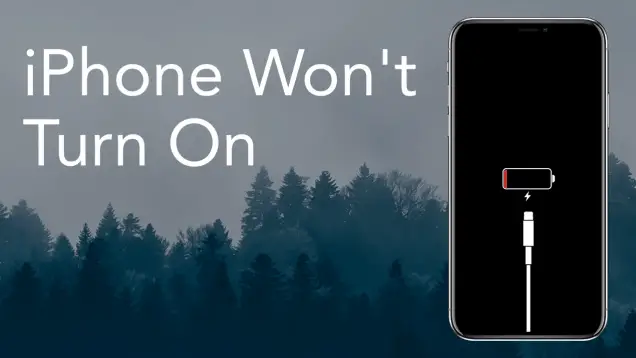
Sometimes, your iPhone 13 might have experienced a deep discharge. This means the battery ran so critically low that it essentially went into a coma. It’s not dead, it's just… deeply, deeply asleep. And like a teenager, it needs a good long rest before it decides to rejoin the world.
Plug your phone into a reliable charger and a working outlet, and then — and this is the crucial bit — leave it there for at least 30 minutes to an hour. Seriously. Don't touch it, don't try to turn it on, just let it marinate in that sweet, sweet electrical current. Sometimes, it needs that extended period to trickle charge back to life. It's like trying to wake up a bear from hibernation; you don't just poke it once, you have to let it slowly come around.
The Lint Trap Conundrum: Inspecting the Charging Port
Alright, let's talk about the unsung hero (or villain) of phone charging: the charging port. Over time, this tiny opening can become a veritable lint trap, collecting all sorts of pocket fuzz, dust bunnies, and mysterious debris. It's like your phone's belly button, only worse.

Take a flashlight and peer into the charging port. Do you see a dense carpet of fluff? If so, congratulations, you've found a potential culprit! But here’s the important part: be gentle. Do not, under any circumstances, use metal objects like paper clips, which can damage the delicate pins inside. Instead, grab a wooden or plastic toothpick, or better yet, a can of compressed air (the kind you use for keyboards, not just blowing on it with your breath – that just adds moisture!). Carefully dislodge any lint. It’s like performing delicate surgery, so take your time.
DFU Mode: The Nuclear Option Before the Genius Bar
If your iPhone 13 is still stubbornly refusing to wake up, we're heading into slightly more advanced territory: DFU mode (Device Firmware Update). This is like taking your phone to a digital therapist for a full system reset. It's a powerful tool, but it requires connecting to a computer with iTunes or Finder.
The exact steps are a bit too involved for a casual chat, but if you Google "iPhone 13 DFU mode," you'll find plenty of guides. Just be warned: this will erase everything on your phone if you don't have a recent backup (which, if it's dead, you probably don't!). It’s a last-ditch effort that can sometimes revive a truly unresponsive device, but it's not for the faint of heart. Think of it as sending your phone to a bootcamp for a fresh start.
When All Else Fails: Embrace the Genius
You've tried everything. You've performed digital CPR, cleaned out the lint, patiently waited, and maybe even whispered sweet nothings to your unresponsive device. If your iPhone 13 is still as dead as disco, then, my friend, it's time to admit defeat and take it to the professionals. Book an appointment at your nearest Apple Store or an authorized repair shop.
Don't be ashamed. These tech wizards have seen it all – phones dropped in toilets, run over by cars, and yes, phones that just decided to quit for no apparent reason. They have specialized diagnostic tools that can pinpoint whether it's a battery issue, a logic board problem, or just a really stubborn case of the digital doldrums. Just be prepared; depending on your warranty, it might come with a price tag heavier than your phone. But hey, at least you'll get your digital life back!
So, there you have it. A humorous yet helpful guide to coaxing your iPhone 13 back to life. Remember, don't panic, stay calm, and always blame the cable first. We've all been there, staring into the abyss of a dead screen, wondering how we ever lived without our pocket-sized supercomputer. May your screens ever be bright, and your batteries ever be charged!