Alright, fellow tech explorers, let's unravel a little mystery together: the secret life of your television and its potential for wireless magic! We're talking about Bluetooth, baby! Have you ever been there? Late-night movie, volume too low to hear the whispers of a villain, but too high to avoid waking the entire household? Or perhaps you dream of pumping out your favorite workout playlist from your TV straight to a beefy speaker without a spaghetti-tangle of wires? Well, my friend, the answer might just be lurking within your very own television. And figuring it out is way easier and more fun than you think!
Think of your TV as a silent partner, holding exciting secrets. Our mission today is to uncover one of its most delightful ones: "Does this glorious screen have Bluetooth?" Let's embark on this quest together, shall we?
Your First Clue: The Physical Hunt!
Before we dive into the digital labyrinth of menus, let's get physical. Give your TV a good, close look. Sometimes, manufacturers make it super obvious! Scan the bezels, the back, and any branding. Are there any stickers, logos, or tiny symbols? Look for the classic Bluetooth logo – that neat little runic 'B' that looks like a combination of two Norse runes. If you spot it, congratulations! You might just be a winner already.
While you're back there, take note of the model number. It’s usually on a sticker, often near the power cord or HDMI ports. This string of letters and numbers is your TV’s unique ID, and it’ll be your secret weapon if we need to call in reinforcements (like the internet!).
The Remote: Your Wand to the Digital Realm!
Okay, if the physical hunt didn't yield an obvious Bluetooth symbol, fear not! Most of the magic happens inside your TV’s operating system. Grab that remote – it’s your key to unlocking its secrets. This is where the real detective work begins.

Your first port of call is usually the "Settings" menu. How do you get there? Typically, there's a button on your remote labeled "Settings," "Menu," or perhaps a gear icon. Give it a press!
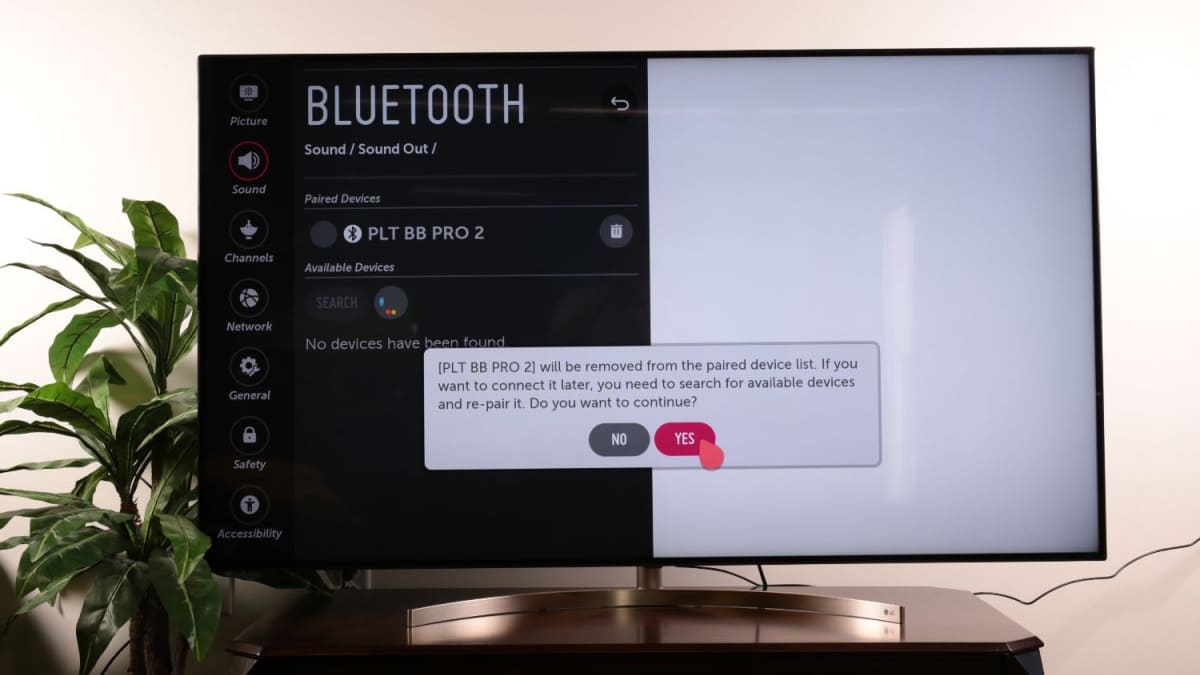
Once you're in the Settings, you're looking for anything related to "Sound," "Audio," "Network," "Connected Devices," or even a general "System" or "General" section. TV brands love to organize things in their own quirky ways, so be prepared for a little exploration.
Within one of these sections, keep your eyes peeled for "Bluetooth," "Wireless Audio," "Audio Output Device," or something similar. If you find it, rejoice! Your TV has Bluetooth. You might then see options to "Pair Device" or "Add New Device." How cool is that?
Pro tip: If you have a Smart TV (most modern TVs are!), the chances of it having built-in Bluetooth are significantly higher. These clever devices often prioritize wireless connectivity, and audio is no exception.
When All Else Fails: Call in the Internet (or the Manual)!
Still no luck? Don't throw in the towel just yet! We have two powerful allies left: the user manual and the vast ocean of the internet.
Remember that model number you jotted down from the back of your TV? Now's its time to shine! Head over to your favorite search engine (Google, Bing, DuckDuckGo – pick your weapon!). Type in "[Your TV Model Number] + Bluetooth" or "[Your TV Model Number] + specifications". The manufacturer's official product page or a trusted tech review site will usually tell you everything you need to know. It's like having a super-powered encyclopedia at your fingertips!
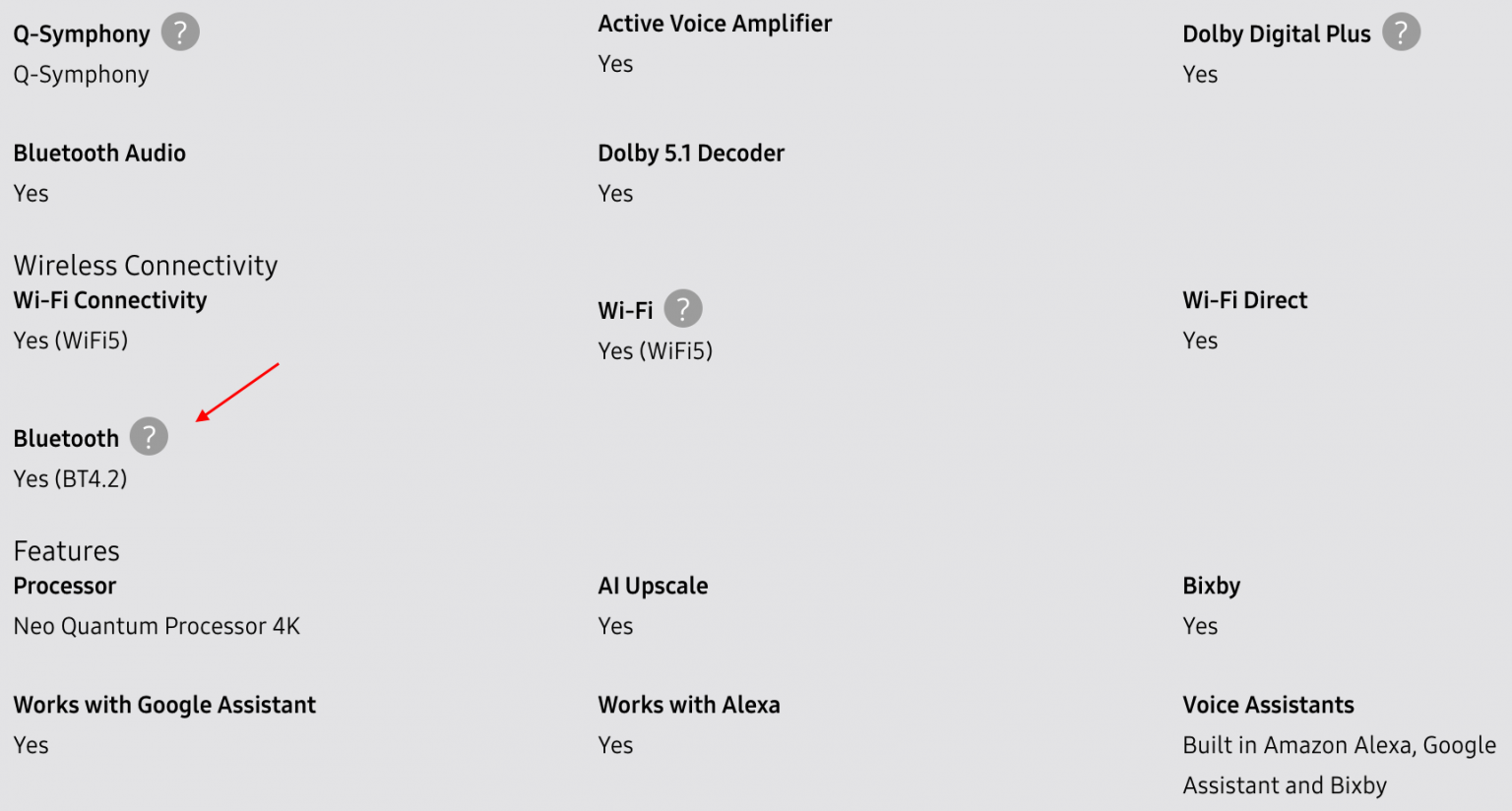
And that dusty old user manual? If you can find it (it's often hiding in a drawer, isn't it?), it's an absolute goldmine of information. Look up the "Specifications" section or the "Audio" or "Connectivity" chapters. You'll find your answer there, usually in black and white.
Why Does This Even Matter? (The Fun Part!)
Okay, so you've found out your TV has Bluetooth (or you're about to!). Why does this matter so much? Because it unlocks a whole new level of convenience and enjoyment!
- Private Listening Perfection: Connect your wireless headphones and watch that intense action movie or late-night drama without disturbing anyone. Total immersion, zero guilt!
- Amplify Your Audio: Link up a Bluetooth soundbar or speaker for richer, more dynamic sound. Say goodbye to tinny TV speakers and hello to cinematic bliss, all without a single extra wire.
- Workout Wonders: Following a fitness video on your TV? Pair your favorite Bluetooth speaker and crank up the motivation! No more relying on your phone's tiny speaker.
- Gaming Glory: Experience truly immersive game audio directly through your wireless headset. Hear every rustle, every reload, every epic explosion!
Imagine the freedom, the clarity, the sheer joy of a clutter-free entertainment space! It’s truly a game-changer for your home experience.

What If It Doesn't Have Bluetooth? (A Quick Encouragement!)
Alright, let's say, after all your heroic efforts, you discover your TV isn't blessed with built-in Bluetooth. Don't despair, my friend! The world of tech has a solution for almost everything. You can often grab a Bluetooth audio transmitter that plugs into your TV's audio output (like a headphone jack or optical audio port) and then wirelessly sends the sound to your Bluetooth headphones or speakers. It's an easy and affordable workaround!
Go Forth and Connect!
See? That wasn't so scary, was it? You've just transformed from a casual viewer into a savvy TV tech detective! Knowing whether your TV has Bluetooth is the first step towards a more enjoyable, personalized, and wire-free entertainment experience. It’s about taking control of your tech and making it work for you, making your life a little bit easier and a whole lot more fun.
So, go on! Dive into those settings, consult that manual, or hit up the web. Uncover the hidden capabilities of your television, and then prepare to unlock a world of wireless audio delight. The future of your TV sound is in your hands – or rather, in your wireless headphones! Happy connecting!