The Universal Dread: A Laptop on Life Support, Far From Home
Ah, the classic scene. You're on a road trip, maybe stuck in a parking lot waiting for someone, or perhaps you've just decided your car makes the perfect mobile office for a change of scenery. Whatever the reason, you glance down, and there it is: that ominous red battery icon, flashing its warning like a tiny, digital harbinger of doom. Your laptop, your trusty steed, is about to go kaput. Panic starts to set in. How will you finish that email? How will the kids survive another five minutes without their movie? Don't worry, my friend. We've all been there, staring at that dying screen with the same wide-eyed desperation. But fear not! Your car, that beautiful metal box you spend so much time in, can often come to the rescue, turning a potential tech tragedy into a triumphant charging tale.
Behold the Digital Campfire: Your Car's Charging Ports
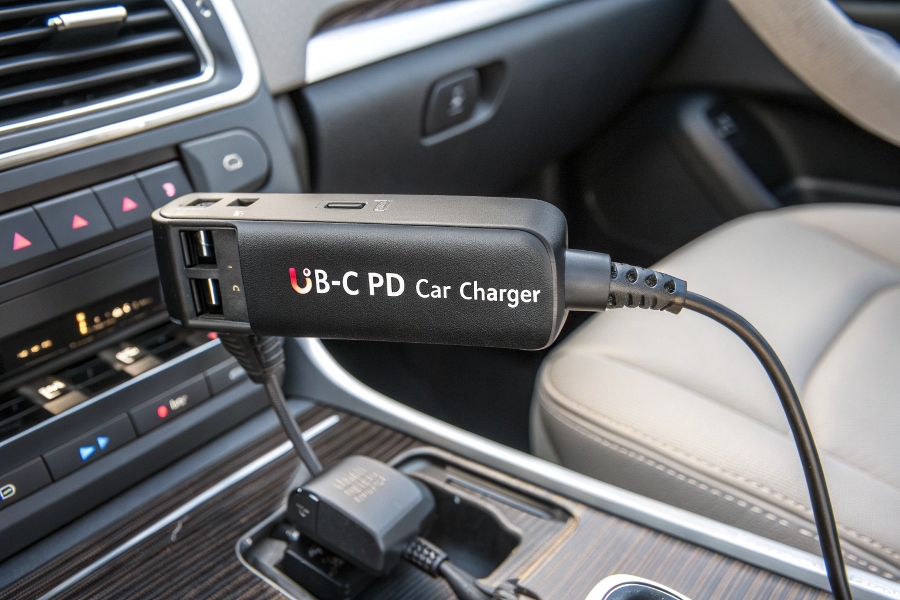
Before we dive into the magical world of car charging, let's assess your vehicle's innate superpowers. Most modern cars come equipped with a few handy outlets. The most common, and perhaps the most nostalgic, is the 12-volt accessory socket, often still fondly called the "cigarette lighter" port. It's the grandaddy of in-car power, usually found somewhere on the dashboard or in the center console. Many newer cars also boast actual USB ports, some even the mighty USB-C, which can sometimes directly charge smaller laptops or act as a power source for an adapter. Take a quick peek around your car. Know your battleground, know your potential allies!
The Hero We Need (and Deserve): The Power Inverter
Okay, so your laptop isn't exactly thrilled with a tiny USB port, and you're not trying to light a cigarette. This is where the power inverter steps in, wearing its metaphorical cape. Think of it as a translator. Your car speaks in "direct current" (DC), which is great for phone chargers but not so much for a power-hungry laptop that wants "alternating current" (AC) – the same kind of juice that comes out of your wall sockets at home. An inverter takes that DC power from your car's 12-volt socket and magically converts it into AC power, giving you a regular household outlet right there in your car! It's like having a mini wall socket party on wheels. You just plug the inverter into your car's 12V socket, then plug your laptop's regular charger into the inverter. Voilà! Instant office.
Picking Your Weapon: Finding the Right Inverter for Your Laptop
Choosing an inverter isn't like picking a candy bar; there are a few numbers to consider. The most important is wattage. Your laptop's charger will have a wattage rating (usually printed on the power brick itself, something like "65W" or "90W"). You'll need an inverter that can supply at least that much power. It's always a good idea to go a little higher to be safe. For most laptops, a 150-300W inverter is usually sufficient. Going too low means your laptop won't charge, or will charge incredibly slowly. Going excessively high isn't dangerous, but might be overkill for your needs. Also, consider the size and the number of outlets on the inverter. Do you need one AC outlet or two? Does it also have USB ports for your phone? Think about what you'll be charging besides just the laptop.
The Great Plug-In: Getting Started Without Breaking a Sweat
Alright, you've got your inverter, you've located your car's 12V socket, and your laptop is whimpering its last electron. Time for action! It's pretty straightforward, really. First, make sure your car is running. Seriously, this is important. Plugging a power-hungry laptop into an inverter while your engine is off is a fast-track ticket to a dead car battery, and nobody wants to call roadside assistance for a Netflix emergency. Once the engine is purring, plug the inverter into the 12V socket. You might see a little light on the inverter indicating it's got power. Then, plug your laptop's charging brick into one of the inverter's AC outlets. Finally, connect your laptop. Watch that battery icon turn green. Feel the power surge! It's like finding an oasis in the desert of dead electronics.

A Word to the Wise (and Weary Traveler): Safety and Common Sense
While turning your car into a mobile power station is fantastic, a few common-sense tips will save you headaches. As mentioned, always have your car running while charging a laptop. An inverter draws a good amount of power, and your car's alternator needs to be working to replenish the battery. Secondly, don't just toss the inverter under your seat. Make sure it's in a well-ventilated spot; these things can get a little warm when they're working hard. Avoid covering it up. And finally, if you notice any strange smells or sounds, or if your car's electronics start acting funky, unplug everything. Better safe than sorry! Charging in your car is usually safe and effective, but a little precaution goes a long way. Think of it as the responsible adult version of not leaving your hot dog on the dashboard for too long.
Powering Up Your Adventures: Charge On!
So there you have it. The next time that dreaded low-battery warning pops up on your laptop screen while you're out and about, you won't be caught off guard. You'll be ready to transform your vehicle into a veritable charging hub, keeping your digital life humming along. Whether it's for crucial work, keeping the peace with screen-hungry passengers, or simply enjoying some digital downtime on your travels, charging your laptop in the car is totally doable. It’s one of those modern conveniences that feels a bit like magic, turning a potential crisis into just another Tuesday. Go forth, charge on, and keep those pixels glowing!