
Ever plugged in your laptop, seen that little charging light come on, and thought, "Cool, it's getting juice!" But have you ever paused to wonder about the magic happening behind the scenes? Like, how much juice are we actually talking about? We're diving into the fascinating world of watts today, and trust me, it's more interesting than it sounds!
It’s not just about finding any old charger; it’s about understanding the oomph behind the plug. And once you get it, you'll feel like a tech wizard. Let's unwrap this mystery with a chill, curious vibe.
So, What Even ARE Watts, Anyway?
Think of watts as the power punch. If electricity were water flowing through a hose, volts would be the water pressure (how hard it’s pushed), and amps would be the hose's diameter (how much water can flow). Watts? That's the total amount of water coming out and doing work, like filling a bucket. It's the measure of electrical power consumed or supplied.
In simple terms, more watts generally means more power. For your laptop, this translates directly into how quickly and effectively it can suck up energy and recharge its battery. Pretty neat, right?
How Many Watts Does My Laptop Crave?
Here's where it gets fun because there's no single answer. Laptops are like people; they have different appetites! Most modern laptops generally fall into a range:
- Small, lightweight ultrabooks or Chromebooks: These typically need anywhere from 25W to 45W. They're designed for efficiency and don't have powerful components guzzling energy.
- Standard everyday laptops: Think your average work-from-home or student laptop. These often require around 45W to 65W. It’s the sweet spot for most users.
- Beefier performance or gaming laptops: Ah, the power hungry beasts! These bad boys can demand a hefty 90W, 100W, 130W, or even up to 240W. Why so much? Because they have powerful processors, dedicated graphics cards, and often bigger screens – all of which need a lot of energy to run at peak performance.
It's like comparing a zippy little scooter (an ultrabook) to a high-performance sports car (a gaming rig). Both get you around, but one requires a lot more fuel!
Why Should I Care About Watts? (Besides Just Charging)
Beyond simply knowing the number, understanding watts has some real-world perks:
1. The Need for Speed (Charging Speed, That Is!)
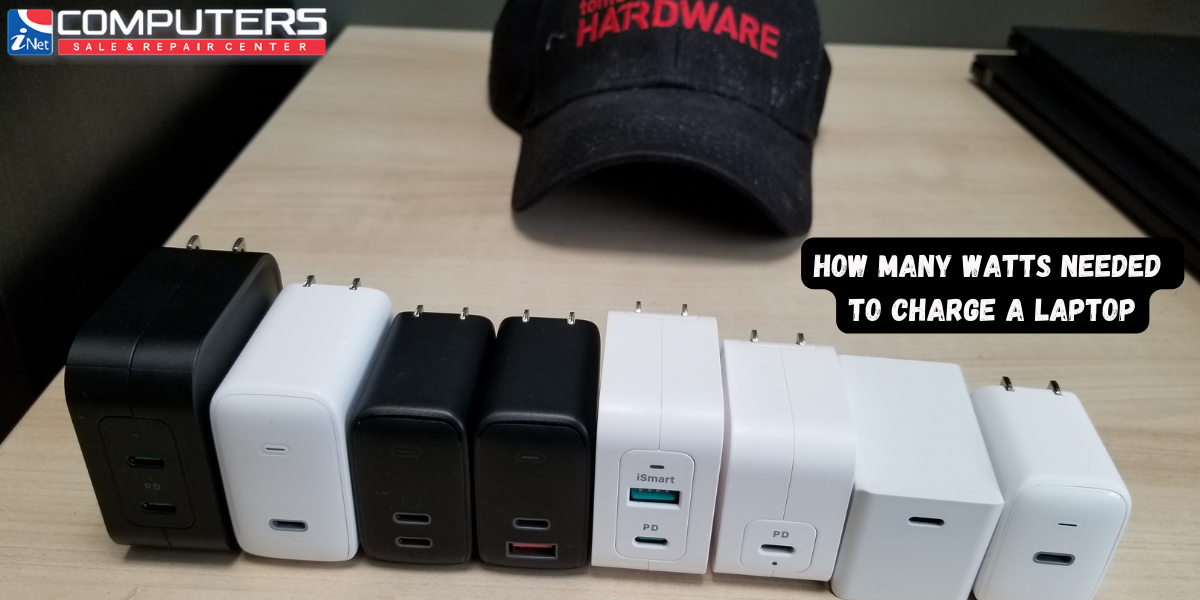
This is probably the most obvious benefit. A charger with a higher wattage (that matches or exceeds your laptop's needs) will generally charge your laptop faster. If your laptop needs 65W to charge optimally, and you're using a 30W phone charger, it might charge super slowly, or even not at all if you're using it while plugged in! The laptop just isn't getting enough fuel to keep up.
It’s like trying to fill a bathtub with a tiny teacup versus a garden hose. The teacup will eventually get the job done, but you’ll be waiting a very, very long time.

2. Universal Charging Dream (Hello, USB-C Power Delivery!)
This is where things get genuinely cool. Thanks to a technology called USB Power Delivery (USB-PD), especially prevalent with USB-C ports, we’re seeing a future where one charger could potentially power your phone, tablet, and even your laptop. Imagine the desk decluttering!
USB-C PD can intelligently negotiate power delivery. So, a single 65W USB-C charger can charge a phone at 18W, a tablet at 30W, and a laptop at 60W – all from the same brick! The device tells the charger how much power it needs, and the charger delivers it (as long as it has enough capacity). It’s like a smart buffet where each dish takes only what it wants.
3. Safety and Compatibility (Don't Be a Wattage Rebel!)
Using a charger with too low wattage for your laptop won't harm it, but as mentioned, it’ll be slow or ineffective. However, what about using a charger with too high wattage?

Generally, this is safe. Your laptop is smart. It only draws the power it needs. If you plug a 100W charger into a laptop that only needs 65W, the laptop will only draw 65W. Think of it like a smart water bottle that only fills up to its capacity, no matter how strong the faucet flow is.
The main caveat here is to ensure the voltage (V) is correct, but with USB-C PD, this negotiation happens automatically, making it super user-friendly.
How Do I Find My Laptop's Wattage?
Easy peasy! Look at your current charger. It’s usually printed on the "brick" part. You'll often see something like "Output: 20V === 3.25A". To find the watts, you just multiply Volts by Amps (V x A = W). So, 20V * 3.25A = 65W. Bingo!
If you can't find it there, check your laptop's manual or the manufacturer's website. A quick search for "[Your Laptop Model] charger wattage" usually does the trick.
The Takeaway: Be Watt-Savvy!
Understanding watts isn't just for tech geeks anymore. It empowers you to:
- Choose the right replacement charger.
- Invest in a faster charger if you're tired of slow top-ups.
- Embrace the future of universal USB-C charging.
- Avoid frustration when your laptop isn't charging as expected.
So, next time you plug in, take a moment to appreciate the watts flowing into your device. It’s a small number, but it carries a big punch, keeping our digital lives humming along. Happy charging, fellow curious minds!