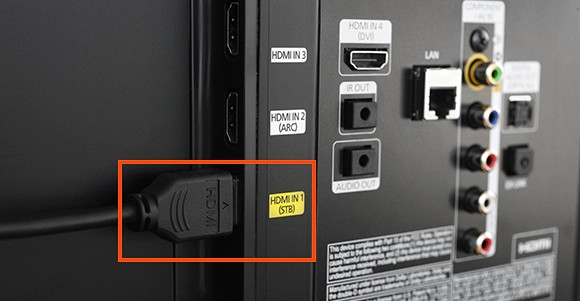
Ever found yourself scrolling through your favorite streaming service, eyes glued to the screen, only to wish you could share that epic moment with someone in another room, or maybe just have a different view of the action? Perhaps it’s game day, and you want the main event on the big screen in the living room, but also a smaller feed in the kitchen so you don't miss a play while grabbing snacks. Or maybe you're building the ultimate home office and dream of mirroring your laptop screen to a TV for presentations. The question inevitably pops up: can you connect two TVs with HDMI?
The short answer, my friend, is a resounding yes! And it’s probably easier and more accessible than you think. Forget complicated wiring diagrams or needing a degree in electrical engineering. We're talking about simple solutions that bring your multi-screen dreams to life, often with just a couple of extra gadgets.
The Magic Makers: HDMI Splitters and More
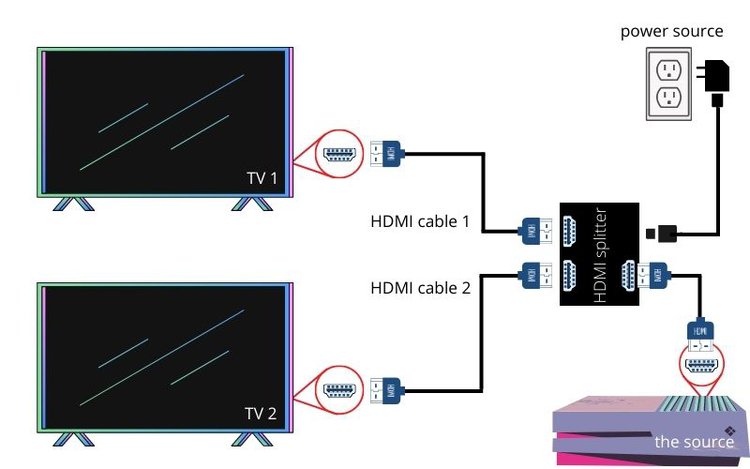
At the heart of connecting multiple screens lies a clever little device called an HDMI splitter. Think of it like a digital Y-connector for your video signal. You plug one HDMI cable from your source (like a cable box, streaming stick, or gaming console) into the splitter, and then two or more HDMI cables go out from the splitter to your various TVs.
This is your go-to solution for mirroring content. Want to watch the same movie on the living room TV and the bedroom TV simultaneously? An HDMI splitter is your trusty companion. It literally takes one input signal and duplicates it across all its output ports.
A little insider tip: when choosing an HDMI splitter, look for one that supports the highest resolution you plan to use (e.g., 4K if your TVs and source support it). Also, make sure it mentions HDCP compliance. HDCP (High-bandwidth Digital Content Protection) is a digital copy protection scheme. Without it, some devices might refuse to play protected content (think Netflix or Blu-rays) through your splitter. It's like a digital bouncer making sure only authorized devices get into the club!

Now, let's briefly clear up a common confusion: an HDMI splitter is not the same as an HDMI switcher. A switcher does the opposite – it lets you plug multiple source devices (say, a PS5, an Xbox, and a Blu-ray player) into one TV, and you switch between them with a button or remote. Handy for TVs with limited HDMI ports, but not what we’re focusing on for two TVs from one source.
Stepping Up Your Game: The HDMI Matrix Switch
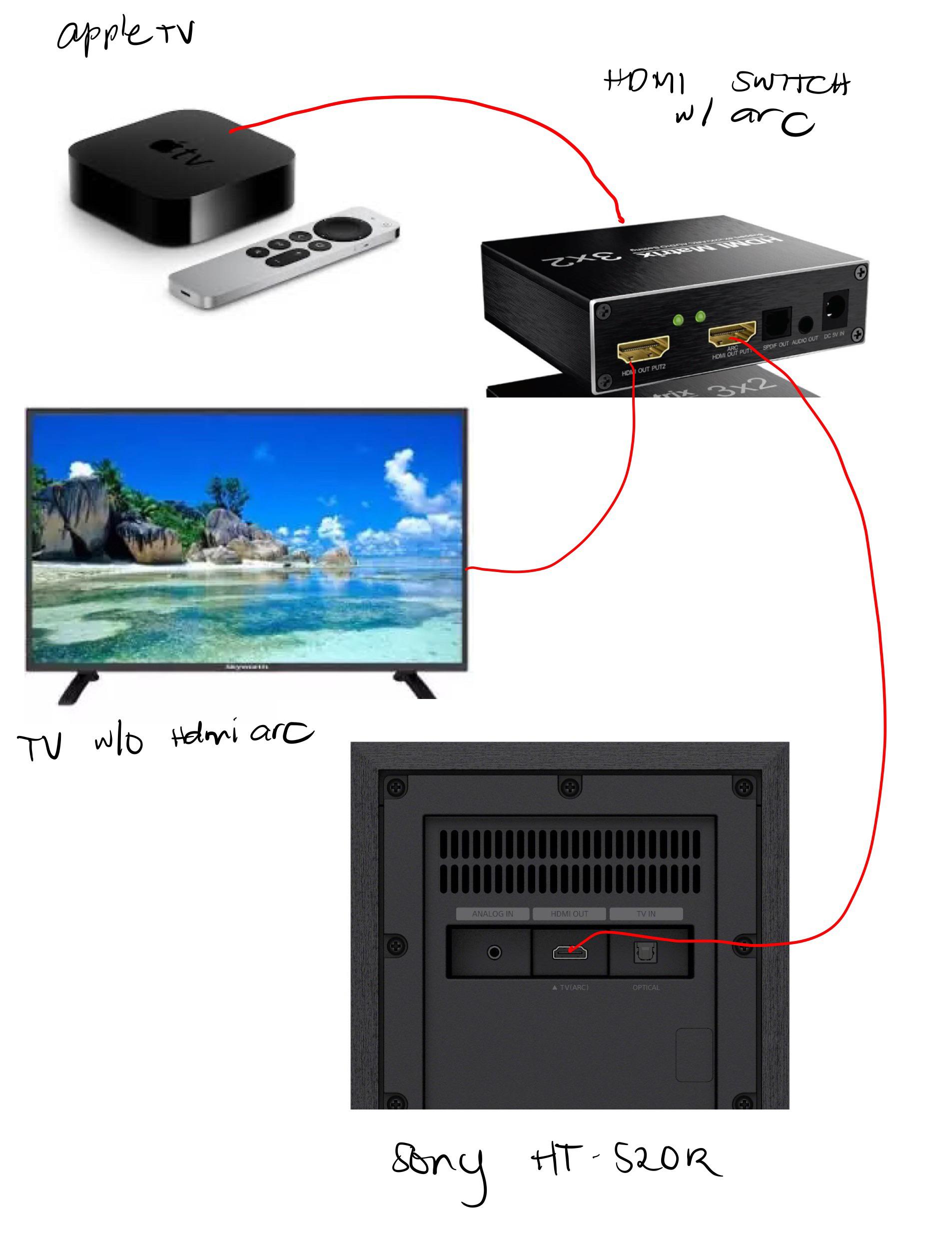
For the true home theater enthusiast or someone with a more complex setup, there’s another player in the game: the HDMI matrix switch. This is where things get really fun. A matrix switch allows you to connect multiple source devices to multiple display devices and control which source goes to which display. Imagine having four input sources (a game console, a streaming box, a PC, a Blu-ray player) and four output displays (living room TV, kitchen TV, outdoor projector, bedroom TV). A matrix switch lets you decide, for example, the game console goes to the living room, while the streaming box goes to the kitchen and bedroom simultaneously. It's like a central command station for your entertainment!
Practical Pointers for a Seamless Setup
- Cable Quality Matters: Especially for longer runs or 4K content, invest in good quality HDMI cables. Longer cheap cables can sometimes degrade the signal, leading to flickering or no picture.
- Power Up: Most HDMI splitters and matrix switches require external power. Make sure you have an available outlet nearby.
- Resolution Harmony: For best results with a splitter, ensure both TVs can handle the same resolution. If one TV is 4K and the other is 1080p, the splitter will usually default to the lower resolution or struggle to send a compatible signal to both. Some advanced splitters offer downscaling, but that's a premium feature.
- Audio Considerations: Remember, the audio signal travels with the video via HDMI. If you're using external soundbars or receivers, plan your audio routing accordingly.
Connecting two TVs with HDMI opens up a world of possibilities, from elevating your movie nights to transforming how you entertain guests. Imagine hosting the ultimate Super Bowl party where every vantage point in your home offers a crisp, clear view of the game, or simply enjoying your favorite cooking show while you're actually cooking without missing a beat.
It's all about enhancing your daily comfort and convenience, leveraging technology to make your living space truly yours. So go ahead, embrace the multi-screen marvel, and enjoy a little more flexibility in your digital life. Your eyes (and your guests) will thank you!